From your phone,
use your Mac's terminal.approve Claude Code.open your localhost.send a file to a shell.
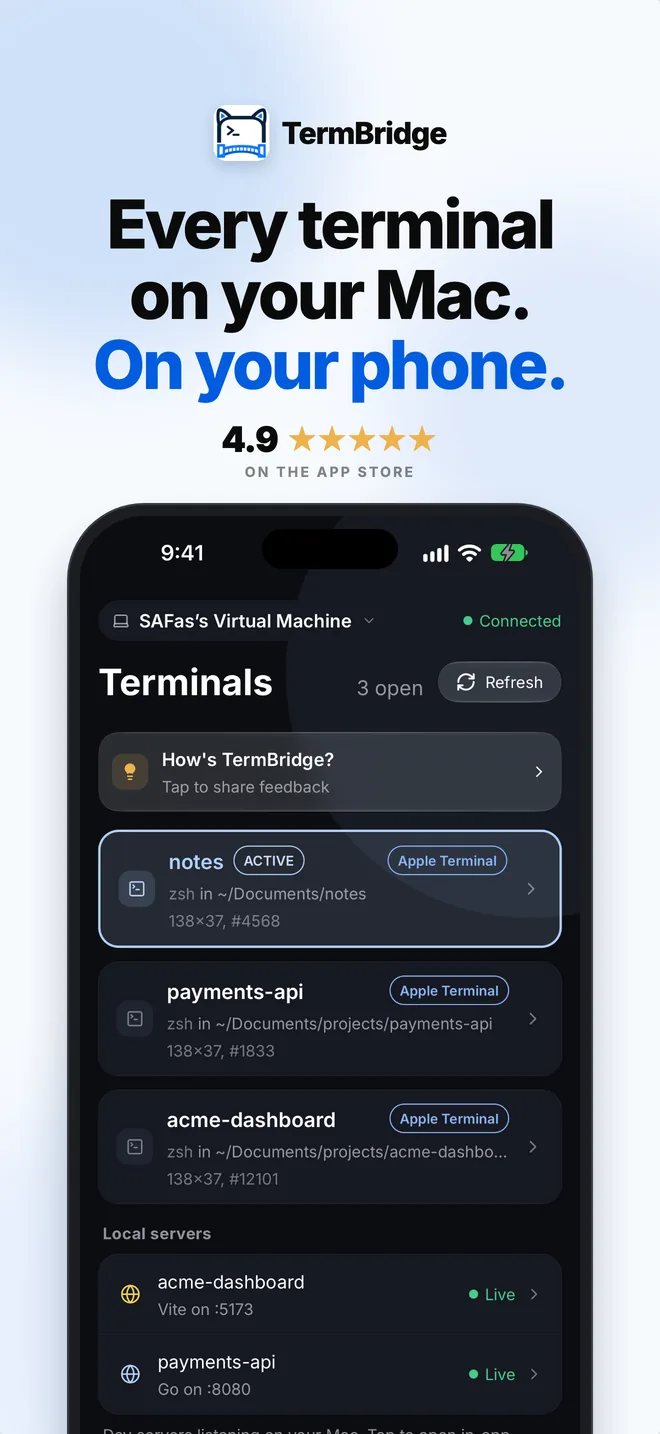
The terminals already open on your Mac, in iTerm2, VS Code or tmux, live on your iPhone or iPad. No SSH, no open port.
 iTerm2
 Terminal.app
 VS Code
 Zed
 Cursor
 tmux
Three things no SSH app can do.
It works with the terminals you already have open.
Your real terminals
The zsh shells already open in iTerm2, Terminal.app, VS Code, Zed, Cursor or tmux show up on your phone, live. Not a new login session.
Answer Claude Code from anywhere
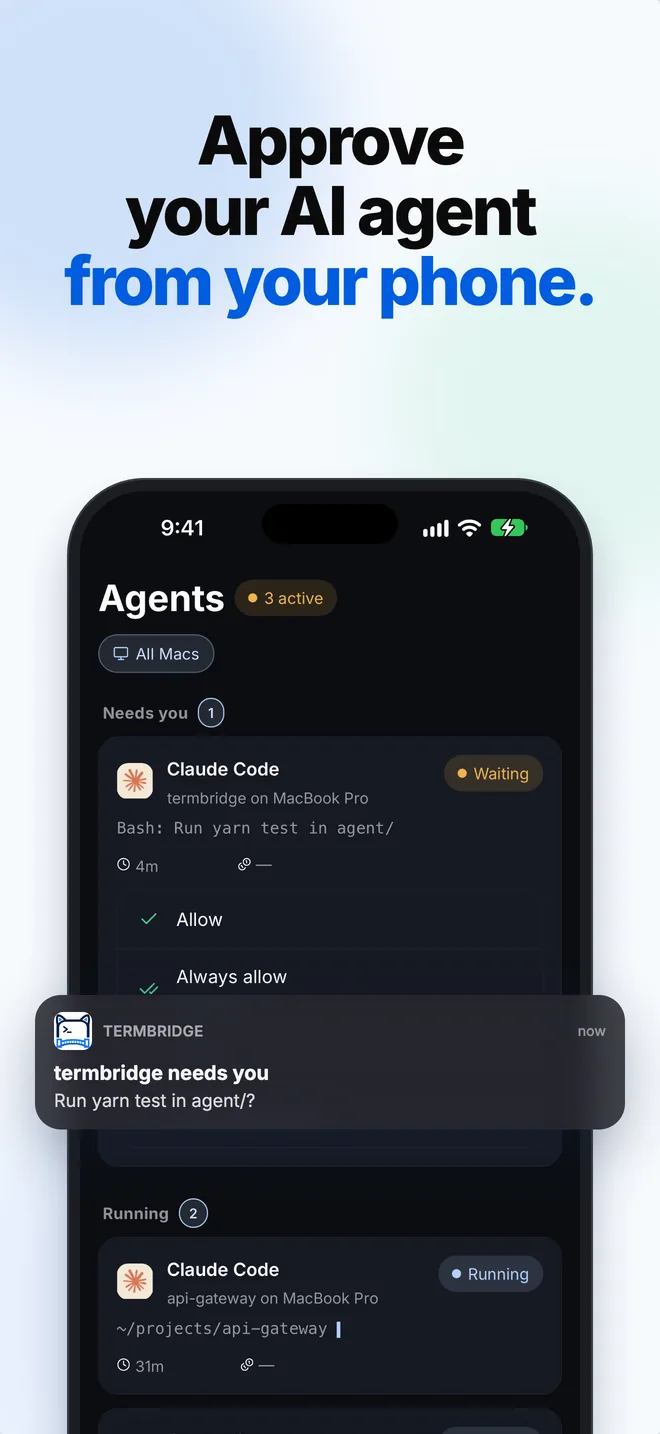
Claude Code asks before it acts. Answer from the notification or the Agents tab: Allow, Always allow, Deny, or Deny with a note.
Your localhost, on your phone
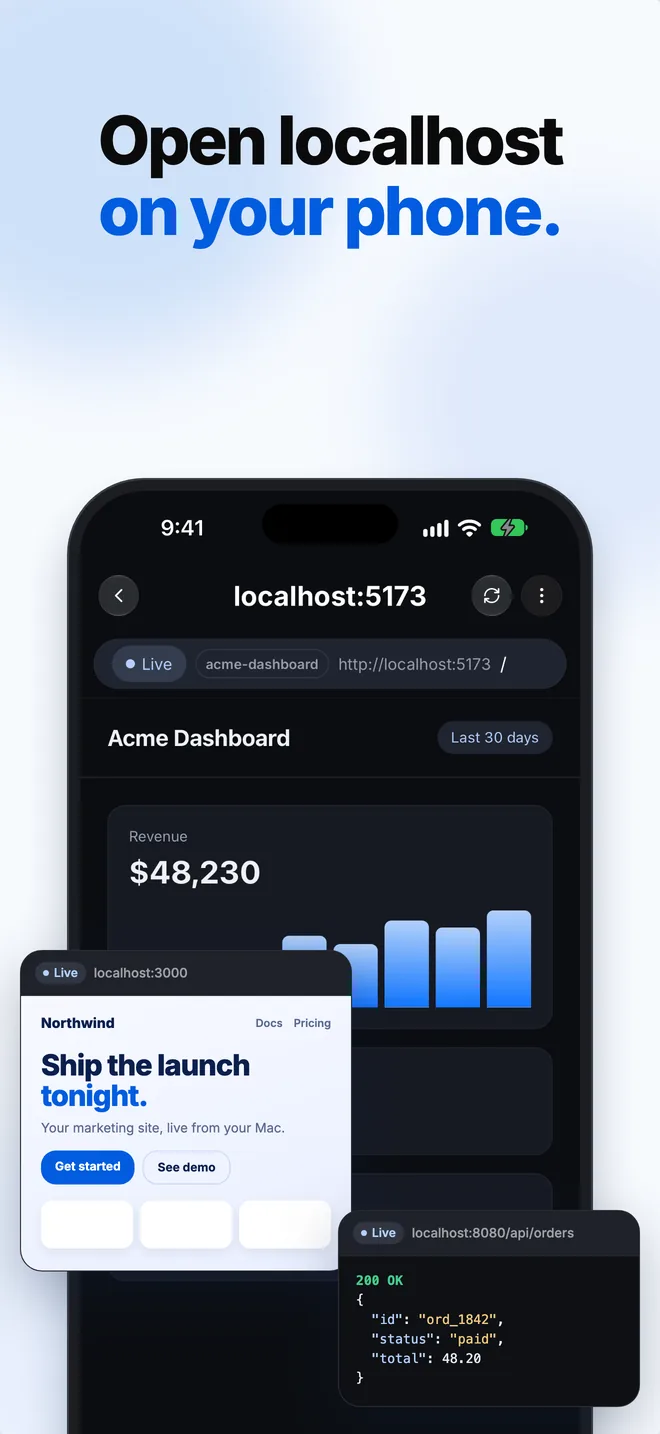
Every dev server running on your Mac is listed. Tap one and it opens on your phone over the same encrypted link. Nothing to set up.
A full window on your Mac
Your terminals, Agents, Local servers, git and files in one Mac window. Open a terminal with ⌘T and it shows on your phone too.
Also: every Mac you own in one list, themes and fonts, and an Online/Offline switch on the Mac that stops anything leaving it.
Everything, in your pocket.
Real screens from the app, not mockups.

One tap away.
A live list of every open terminal in iTerm2, Terminal.app and your editor. New terminals appear on their own. Tap one to type into it.
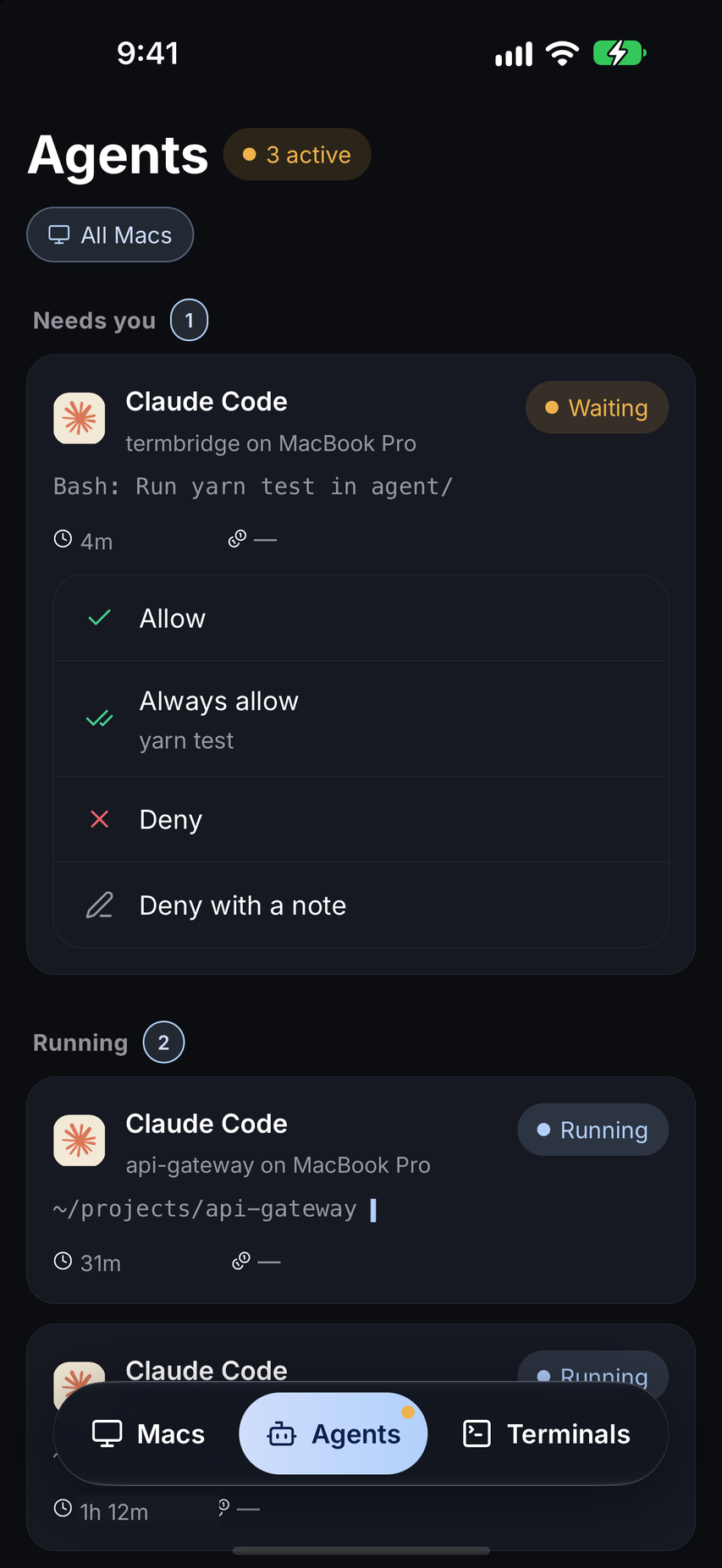
Approve it from anywhere.
When Claude Code asks, the request shows on your phone and in a push. Allow, Always allow, Deny, or Deny with a note. Questions get their choices too.
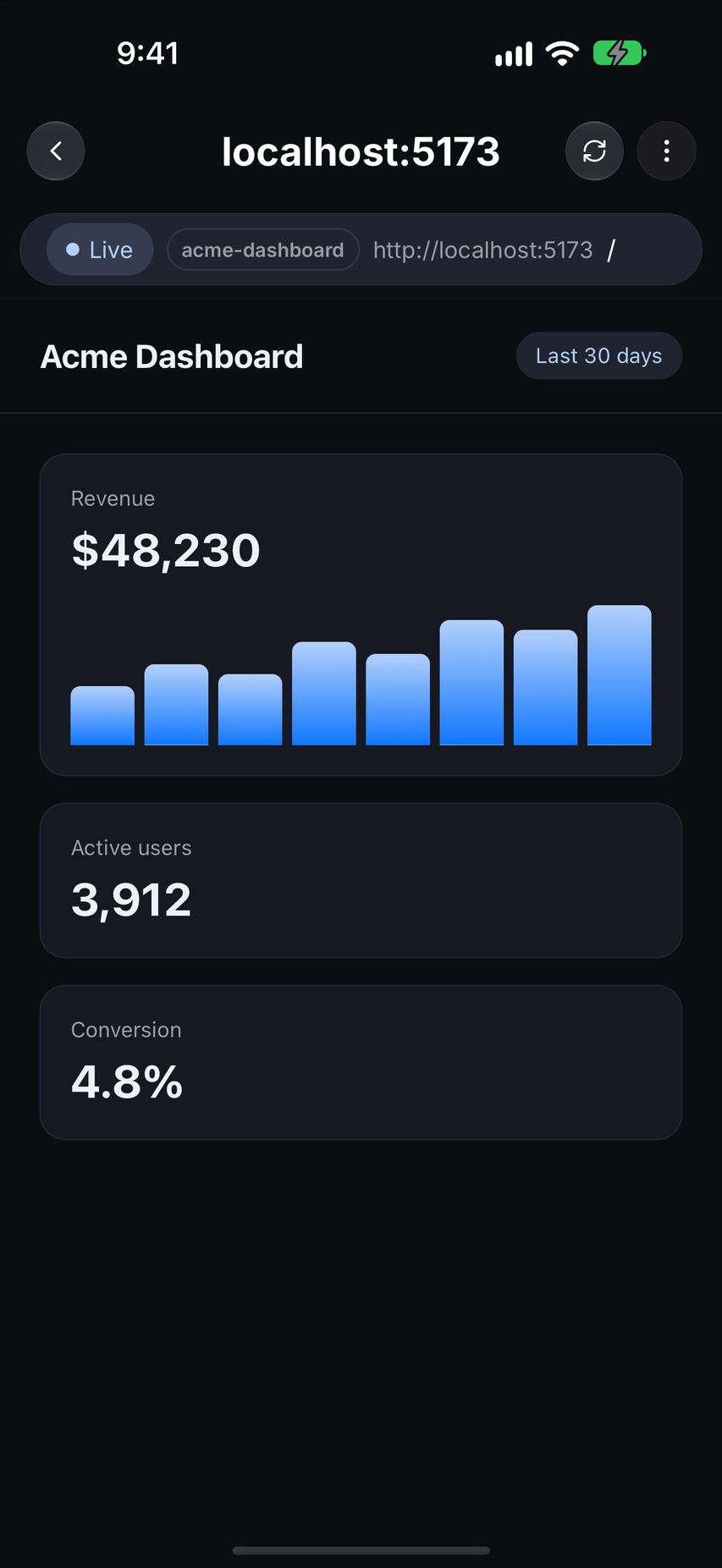
Your localhost, on your phone.
The Local servers list shows every dev server on your Mac. Tap one and it opens on your phone over the same encrypted link.
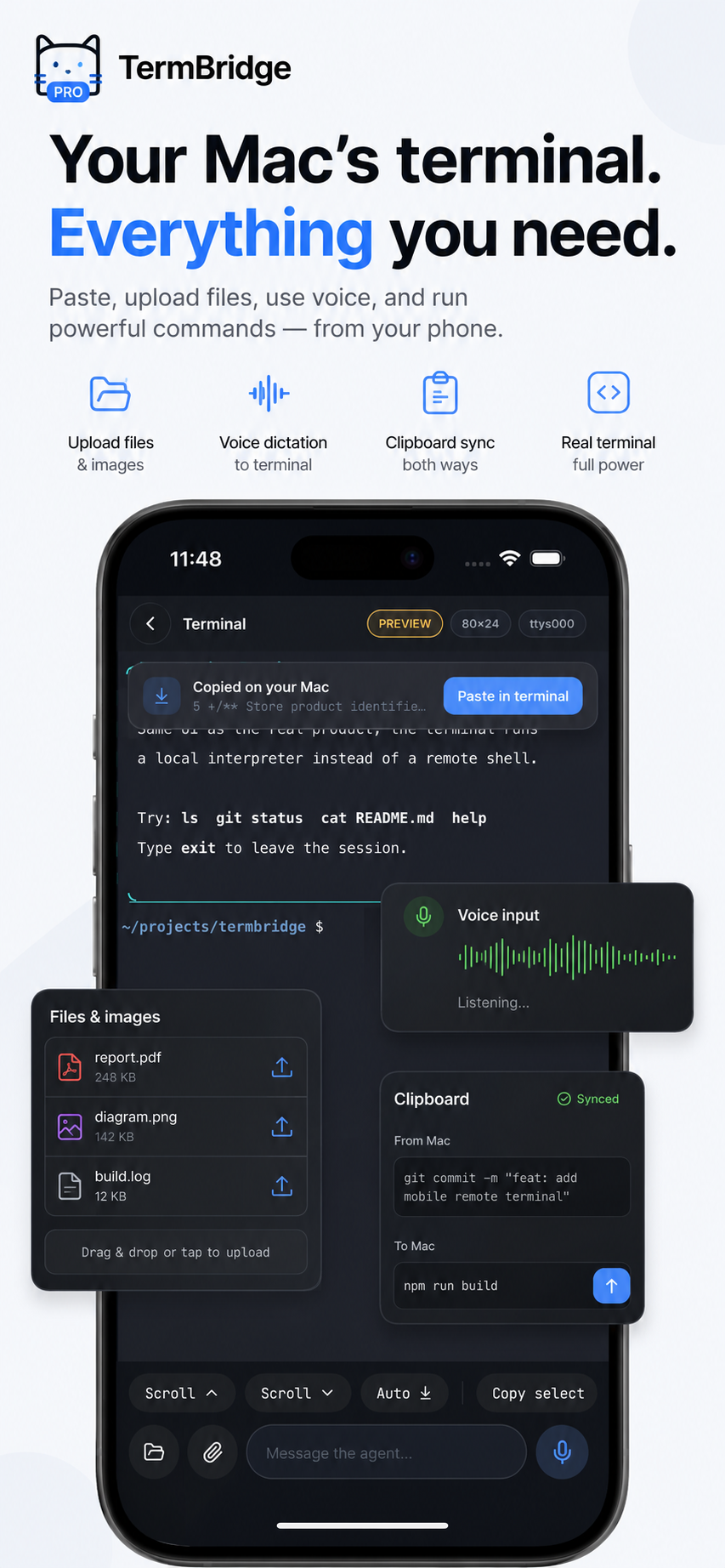
Say it, attach it, send it.
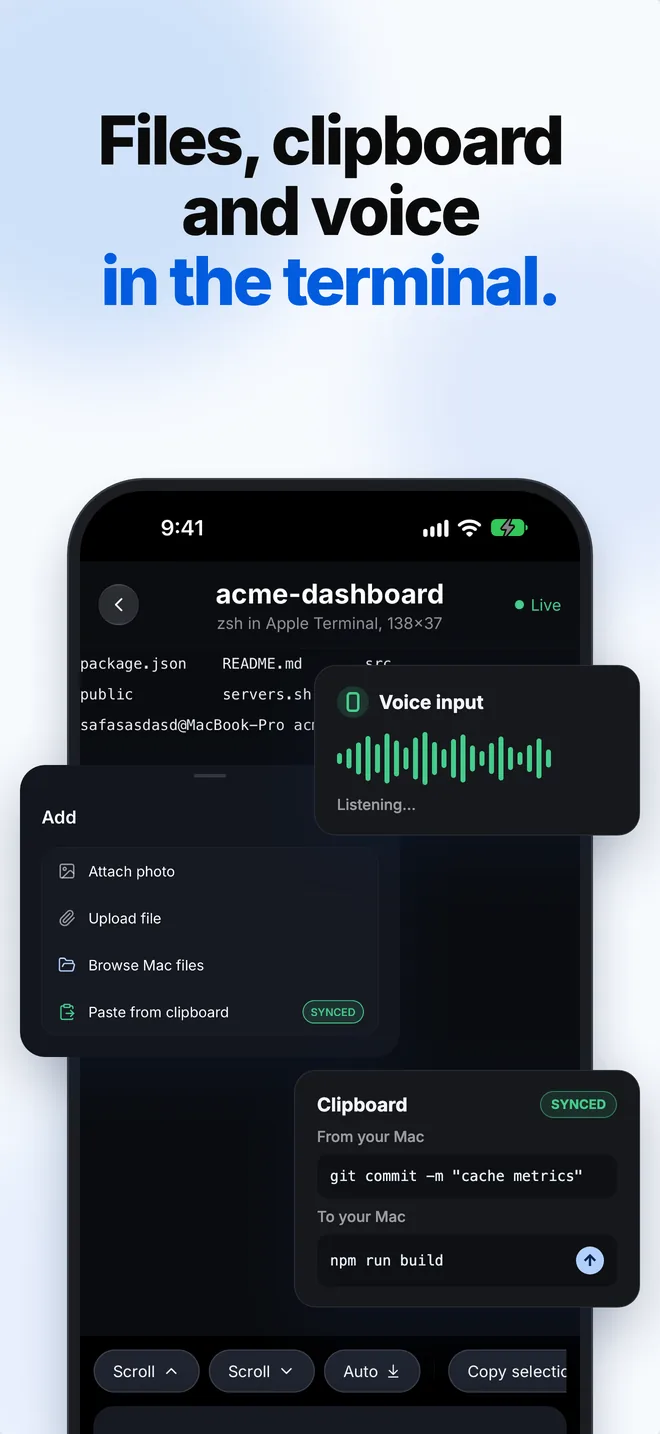
Dictate a command. Add photos and files, and they go in when you press Send. Send one file to several terminals. Browse your Mac's files. One clipboard on both phone and Mac.
Three steps. No config files.
One download on the Mac, one on the phone, one scan.
Install the Mac app
Drag TermBridge.app to Applications and open it. It adds a small background agent and lives in your menu bar. Left-click the icon for the window. Right-click for the quick menu.
Scan the QR code
Click Pair a new device in the Mac window. Open TermBridge on your phone and scan the code. Check the fingerprint on the Mac, and you are paired.
Open a terminal from anywhere
Your open shells appear on the phone. Tap one and you are in it. It works on any network. You do not open a port.
Private between your Mac and your phone.
Sealed on one device, opened on the other. The relay only passes it along.
End-to-end encrypted
Every frame is sealed on one device and opened on the other. The relay cannot read your terminal.
Fresh keys every session
A new key per connection. A key taken later cannot open an earlier session.
No one in the middle
The handshake is bound to both devices' keys, so a relay cannot swap itself in.
Keys stay on your devices
Pairing makes the shared secret on the phone and the Mac. There is no account and no key server.
Good questions, answered.
Is this just an SSH client?+
How does it reach my Mac without opening a port?+
Can I answer Claude Code from my phone?+
Can I open my localhost on my phone?+
What does it change on my Mac?+
~/.zshrc that starts each new interactive zsh through the agent, plus a background agent. If the agent is missing or broken, your shell starts as normal. The uninstaller removes both.What does Free include?+
Does it work on Android?+
Which terminals work?+
Leave the Mac on.
Take the terminal with you.
Install the Mac app, scan once, and your shells are on your phone wherever you are.