June 12, 2026 · TermBridge · 4 min read
Monitor Claude Code and Codex Agent Runs from iPhone
It is frustrating to start a long AI coding agent run, like with Claude Code or Codex, and then need to stay at your desk just to monitor its progress or respond to its prompts. You want the freedom to move around while keeping an eye on your work.
Moshi is a mobile terminal designed for long-running coding agents, shells, and tmux sessions on your existing development machine. It allows users to start AI agents like Claude Code, Codex, OpenAI, Gemini, Cursor, Kimi, or Qwen on their host and then monitor, answer, and steer them from an iOS or Android device without needing to keep a laptop open. The platform provides a real terminal experience in your pocket, enabling remote operation of agents, answering requests, and understanding agent activity through live feeds and structured logs.
TermBridge addresses this specific need by mirroring your Mac’s terminal directly onto your iPhone or iPad. This means you can initiate a Claude Code or Codex session on your Mac, then step away and still watch its output, type commands, and answer any questions it poses, all from your mobile device. The connection is end-to-end encrypted, keeping your development work private.
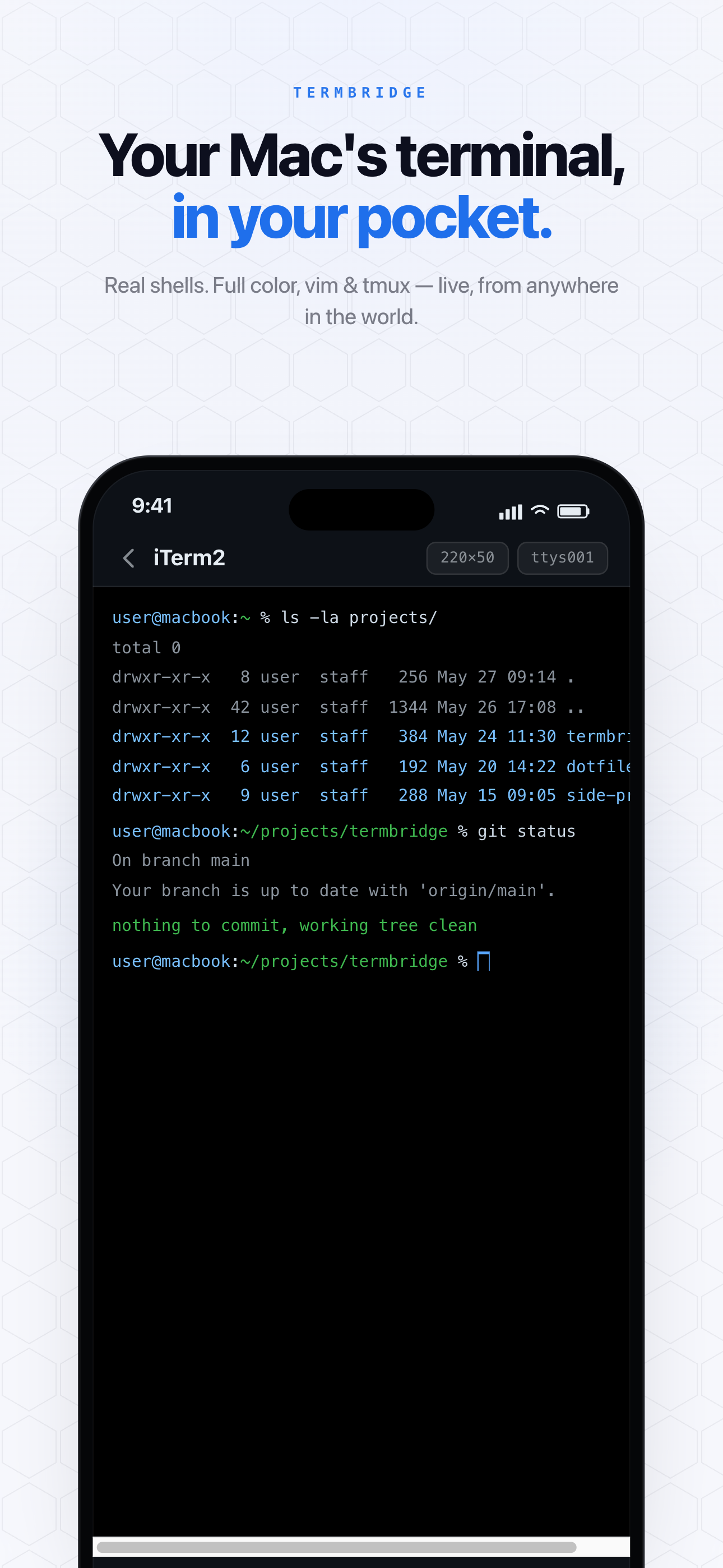
Monitoring AI Agent Progress Remotely
When your AI agent is churning through code generation or complex tasks, you no longer need to be physically present at your Mac. TermBridge provides a live feed of your terminal session, whether it’s iTerm2, Terminal.app, or an integrated terminal in VS Code. This allows you to observe every line of output from your Claude Code or Codex agent as it happens, directly on your iPhone or iPad. You can see when a task completes, if an error occurs, or when the agent is ready for its next instruction. This capability is particularly useful for those long, unattended agent runs mentioned on the Moshi Docs page, found at https://moshi.app/docs/start/what-moshi-does.
Interacting with Your Agents from Anywhere
AI coding agents often require interaction, asking clarifying questions or requesting further instructions. With TermBridge, you can type directly into your Mac’s terminal from your mobile device. This means you can answer your agent’s prompts, steer its direction, or even send new commands without returning to your desk. The full terminal experience is available in your pocket, allowing you to maintain control over your AI development workflow from any location. Pairing is simple and secure, using a QR code and on-Mac approval.
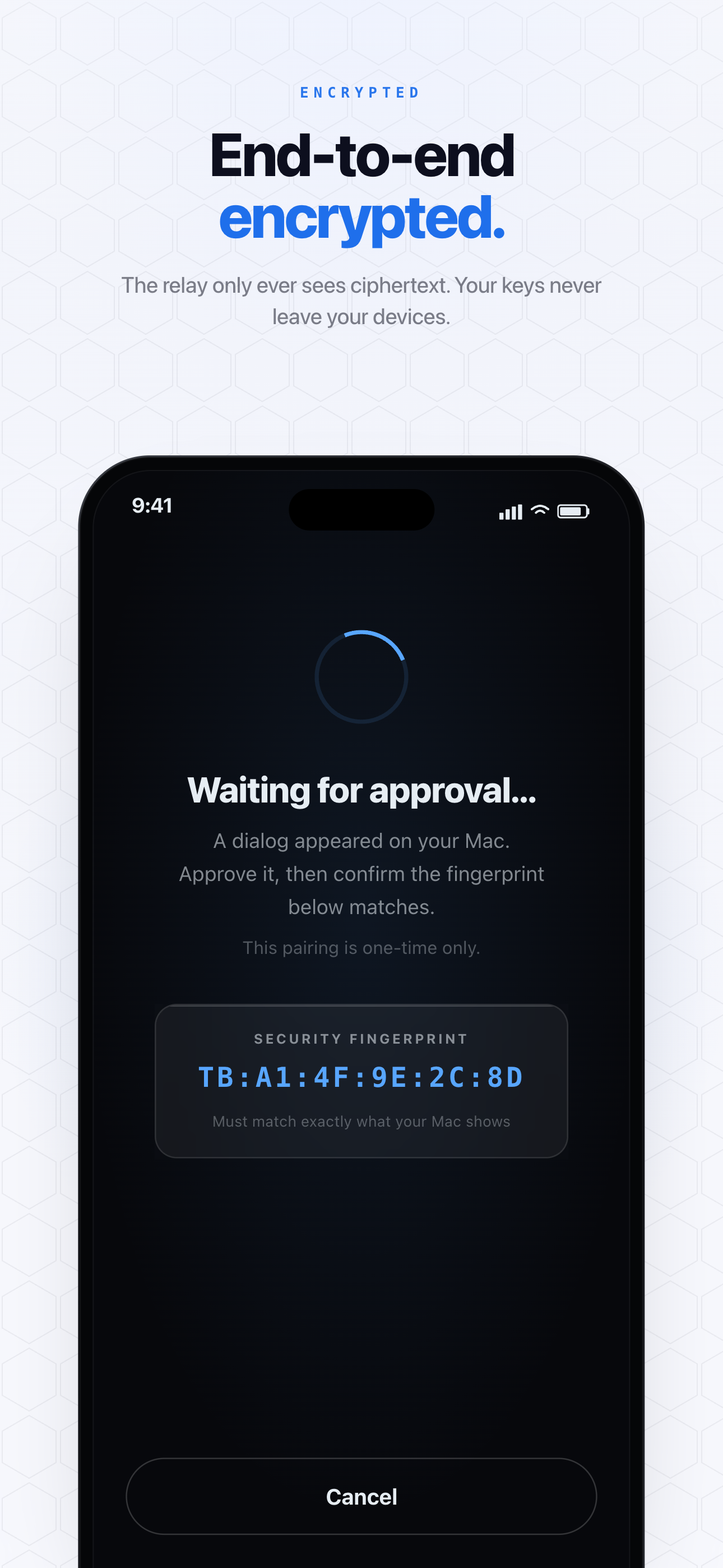
Secure and Private Terminal Access
Working with AI agents often involves sensitive code or proprietary information. TermBridge ensures your remote terminal sessions are secure. All data transmitted between your Mac and your iPhone or iPad is end-to-end encrypted using X25519 for key exchange and AES-256-GCM for data encryption. The relay server only ever sees ciphertext, meaning your terminal content remains private. You can pair multiple devices to one Mac or switch between several Macs, all while maintaining this high level of security for your AI coding agent interactions.
Discussed on Moshi Docs