June 25, 2026 · TermBridge · 4 min read
TermBridge 1.1.0: Your Phone Now Tells You the Moment an Agent Needs You
The single most-requested thing since I launched TermBridge was some version of: “I don’t want to keep staring at my phone to know if the agent needs me.” It’s the same complaint you see all over r/ClaudeCode — people leaving an agent running and having no idea when it stalled. That’s the headline of 1.1.0, and it changes the whole rhythm of leaving an agent running. Here’s everything that shipped and, more usefully, why.
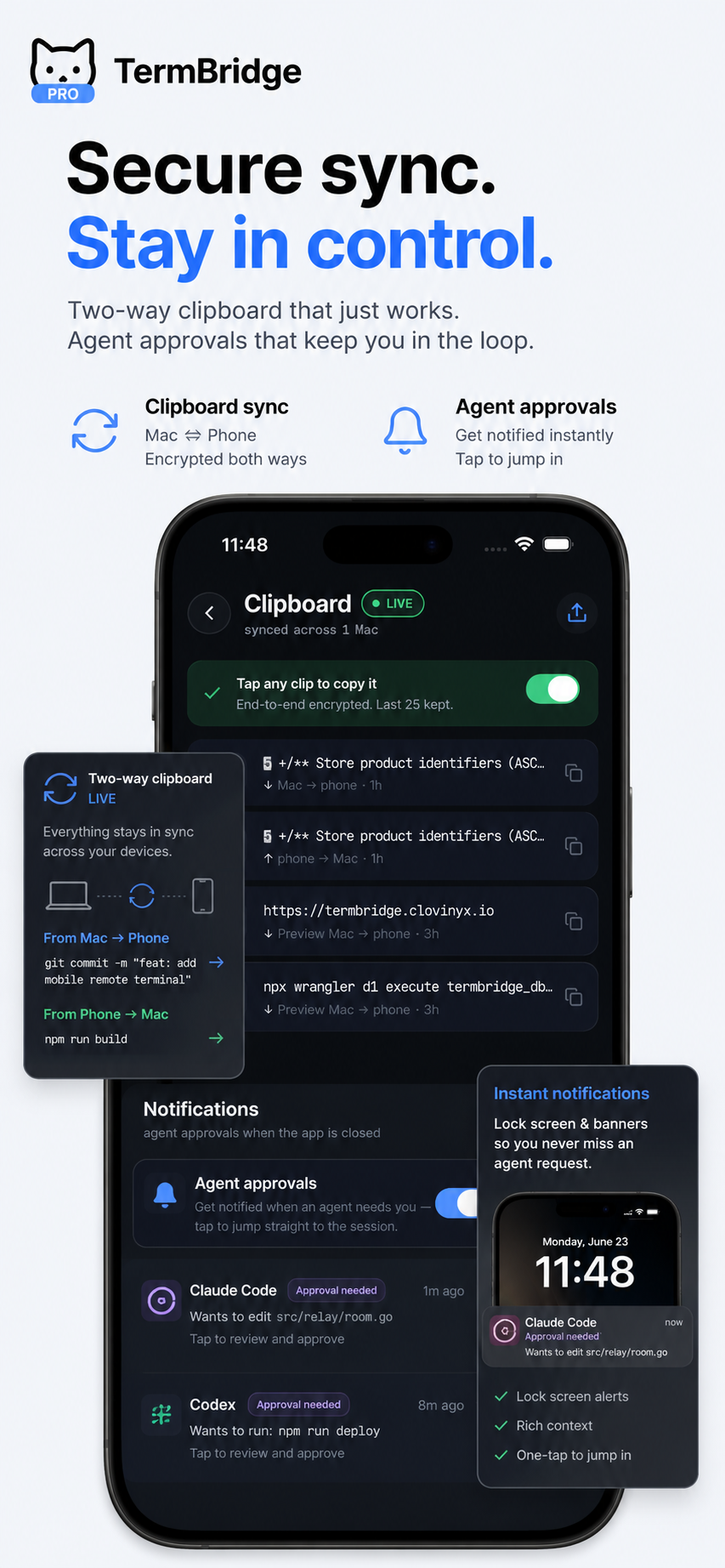
Push the moment an agent needs you
If you run Claude Code or Codex for any real length of time, you know the pattern: it works happily for twenty minutes, then stops dead on a permission prompt — “Allow edit to src/auth.ts?” — and waits. Forever, if you’ve walked away. The old workflow was to keep peeking at your phone to catch it. That’s not monitoring, that’s babysitting.
Now your Mac watches for that pause and sends a push the instant it happens. Tap the notification and you land directly in that exact terminal, prompt on screen, ready to approve or redirect. No hunting through a session list to figure out which of your four agents stalled. The notification is the deep link. This is the feature I use most myself, and it’s the one that finally made me comfortable kicking off a long run and actually closing the laptop.
Talk to your terminal
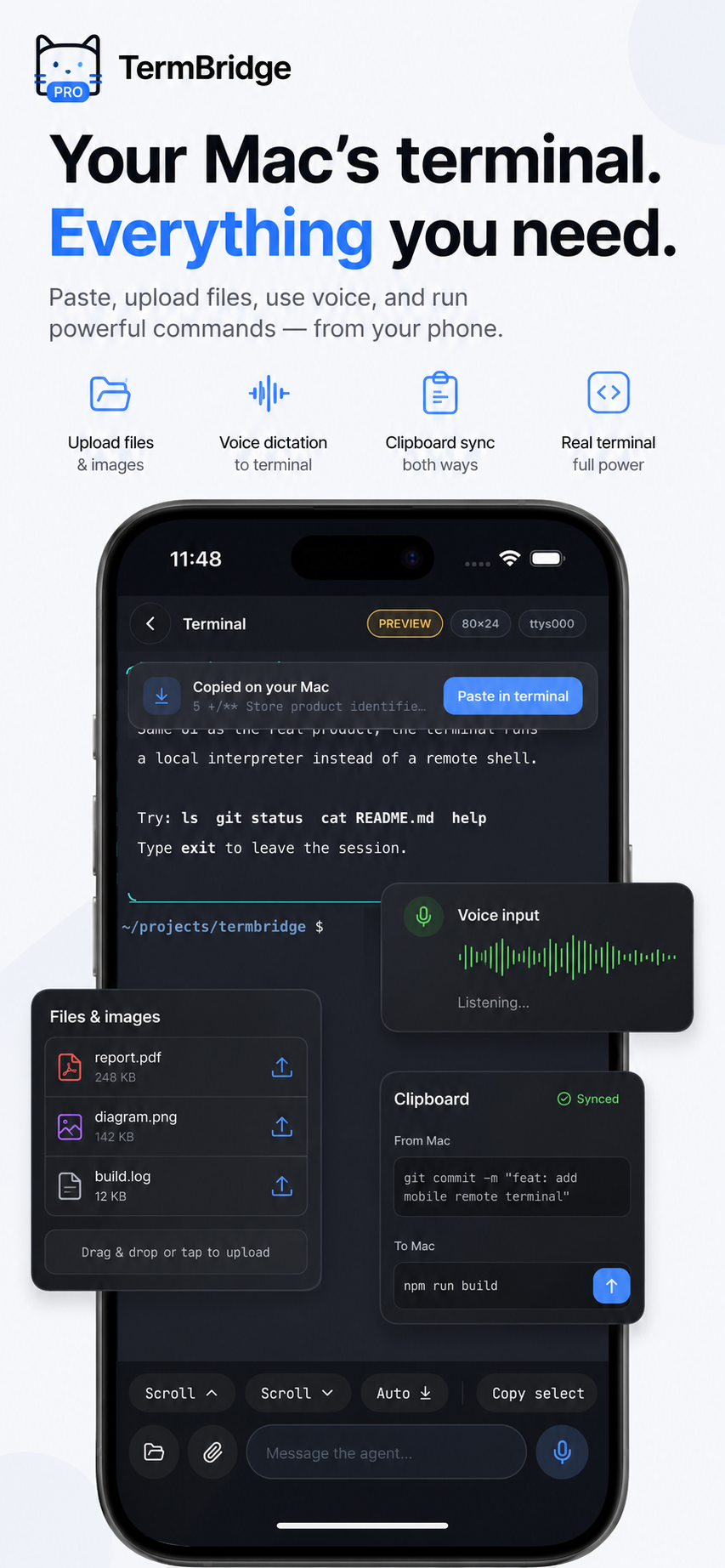
Typing shell commands on glass is miserable, so 1.1.0 adds voice dictation. Tap the mic, speak, and a live waveform shows it’s listening. It’s genuinely good for the kind of thing you say to an agent — “run the test suite again and show me only the failures” — where you’d rather talk than thumb-type a sentence. It’s not trying to replace the keyboard for git rebase -i; it’s for the prose half of agentic coding, which turns out to be most of it.
Send files and browse your Mac, from the composer
Two things that were oddly hard before are now one tap. Attach a file from your phone and it uploads to your Mac, dropping the resulting path straight into the terminal, ready to run. Snap a screenshot of an error, send it up, point the agent at it. And you can now browse your Mac’s filesystem right from the composer — no ls-ing around blind to remember where that config lives.
Switching Macs is instant now
This one is quiet but I’d missed it badly. If you pair more than one Mac — a desktop and a laptop, say — each now keeps its own live connection. Switching to a Mac that happens to be asleep no longer drops the one you were actually using. Before, the connections fought over a single slot; now they don’t. If you run agents across multiple machines, this is the difference between “switch and wait” and “switch and it’s just there.”
Make it yours
The rest is polish I’d wanted for a while: themes, fonts, and a custom key row, plus two new quick keys (Clear line and Backspace) that I kept reaching for and not finding. Badges, icons, the plan screen, and the composer all got a cleaner pass too. Small stuff, but it’s the stuff you touch every session.
Get it
1.1.0 is live on the App Store now, and the Mac menu-bar app auto-updates itself. If you’ve been using SSH and tmux to do this — which is a perfectly good setup — the notification flow is the thing that’s hard to replicate, because it needs the Mac side to know an agent is waiting, not just that a process is running.
If there’s a feature you want next, tell me. Half of 1.1.0 came straight from people emailing me what was annoying them.