October 7, 2026 · TermBridge · 4 min read
Monitor Claude Code Auto Mode Safeguards from Your iPhone

Claude Code’s auto mode handles many permission decisions for you, but you still need to know when it blocks an action or requires your input. Staying informed about these automatic safeguard decisions without being tethered to your Mac presents a challenge for developers.
Anthropic is introducing auto mode, a new permissions mode in Claude Code where Claude makes permission decisions on your behalf, with safeguards monitoring actions before they run. This feature acts as a middle path, allowing developers to run longer tasks with fewer interruptions while introducing less risk than skipping all permissions. It automatically allows safe actions and blocks potentially destructive ones, escalating to a human prompt if Claude repeatedly hits blocks.
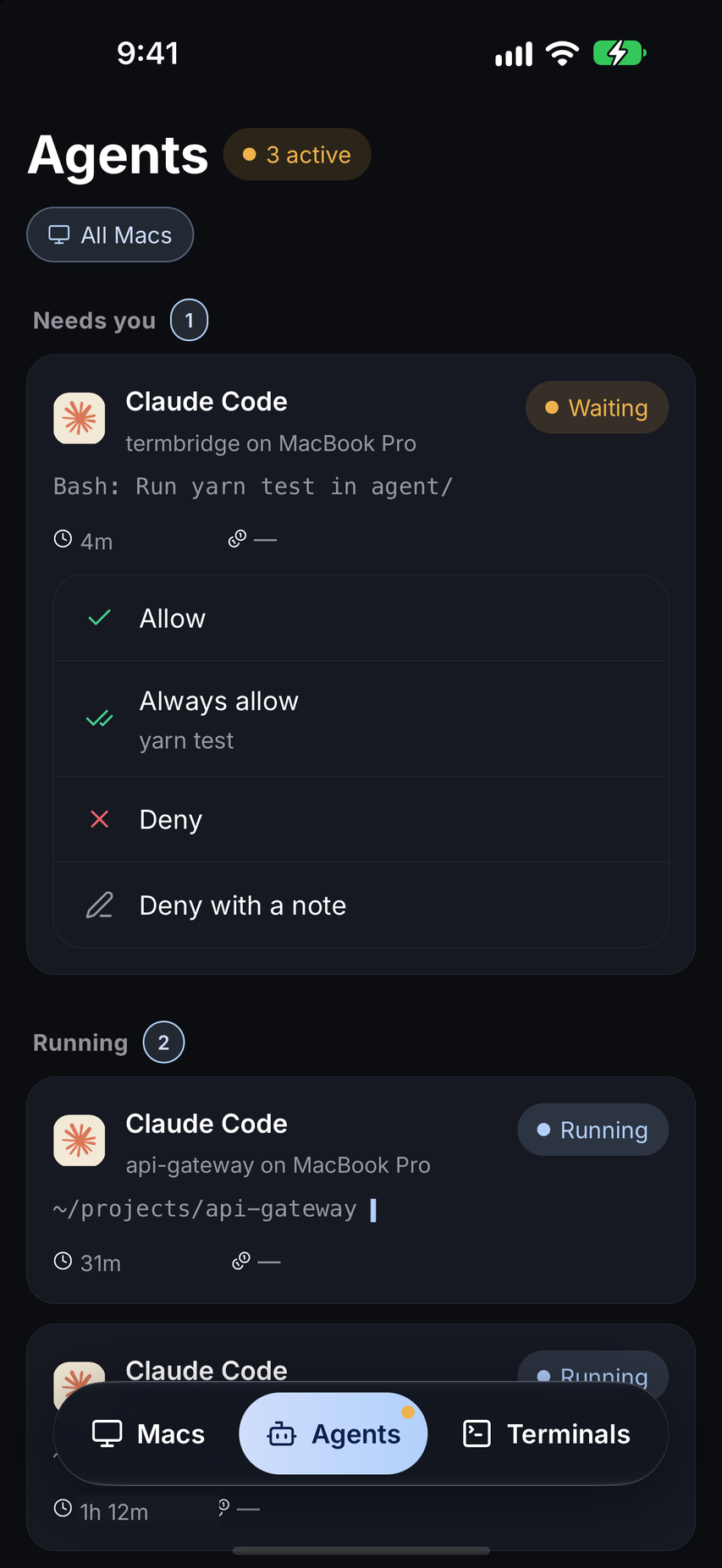
TermBridge provides a direct, real-time view of your Mac’s terminal, showing Claude Code’s output, including auto mode’s permission logs and any human prompt escalations. You can watch these critical safeguard messages and intervene from your iPhone or iPad, just as if you were sitting at your desk.
Observing Auto Mode’s Permission Decisions Remotely
Claude Code’s auto mode is designed to make intelligent permission decisions, allowing safe actions and blocking risky ones. For developers, understanding which actions are permitted or denied automatically is crucial for debugging and ensuring an agent’s intended behavior. TermBridge mirrors your Mac terminal directly to your iPhone or iPad, letting you see these detailed logs as they happen. You can observe auto mode’s internal workings, track its safeguard evaluations, and confirm that your agent is operating within expected parameters, all from a distance.
Tracking Escalations to Human Prompts
One of auto mode’s key features is its ability to escalate to a human prompt if Claude repeatedly encounters blocks, signaling a need for developer intervention. This is a critical moment where your input is required to guide the agent past an obstacle. With TermBridge, you can monitor your Mac terminal from your phone, immediately seeing when auto mode requests human input. This allows you to quickly assess the situation and respond to the prompt, keeping your agent runs moving forward without delay. For more on remote monitoring, see our post on Monitor Claude Code and Codex Mac Terminal from iPhone, No SSH. This capability is essential for managing long-running agent tasks, as detailed in Anthropic’s auto mode documentation.
Discussed on Claude Docs