Agents
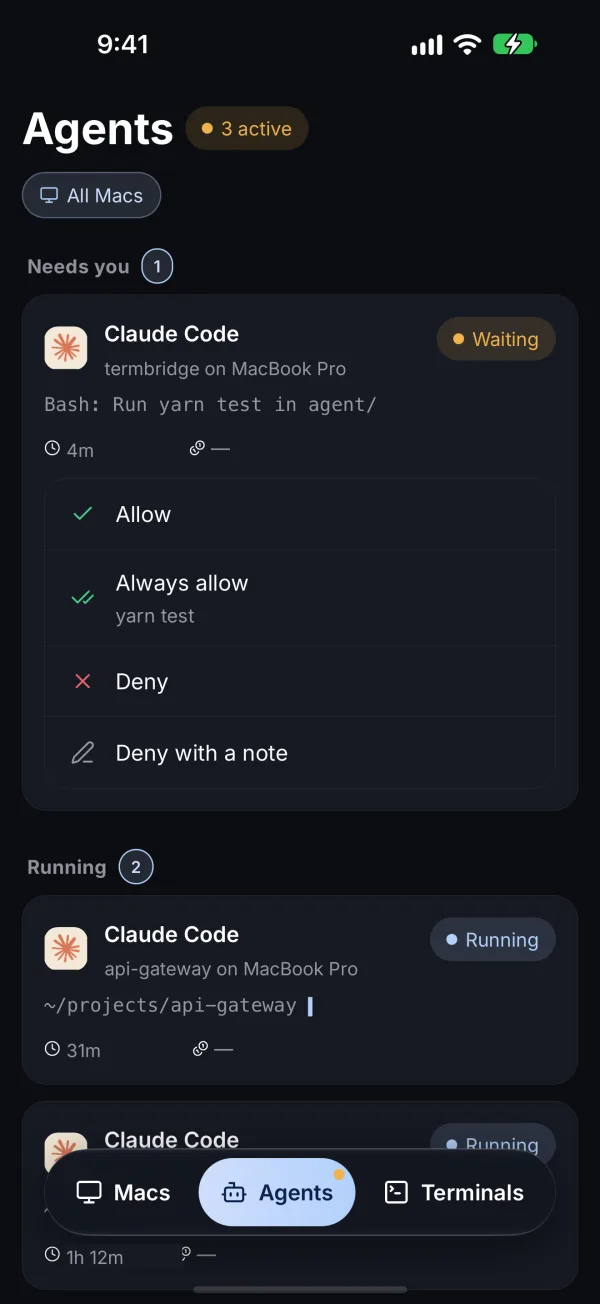
The Agents tab lists every Claude Code session on every Mac you have paired, grouped by what it needs from you: Needs you, Running, and Recently finished.
Answer a request
When Claude Code stops on a permission prompt, the card shows what it asked and four rows:
| Row | What it does |
|---|---|
| Allow | Runs this one action |
| Always allow | Runs it, and Claude stops asking for the same thing this session |
| Deny | Stops it |
| Deny with a note | Stops it and sends Claude a line about what to do instead |
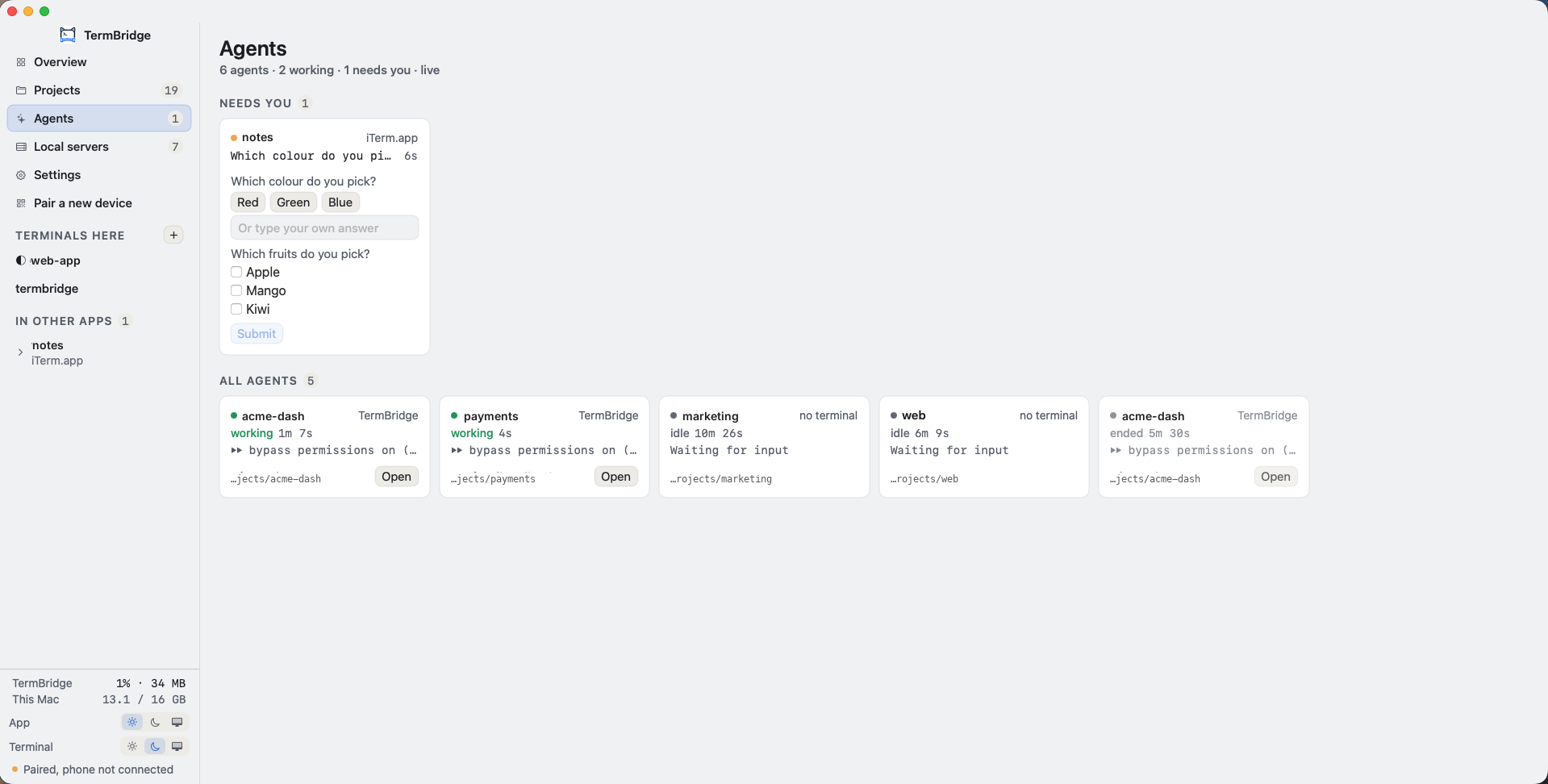
When Claude asks a question, the same card shows the choices. Pick one, pick several when it allows that, or type your own answer.
From the notification
A push arrives the moment an agent needs you. Press and hold it to Approve without opening the app, or tap it to land on the request.
From the Mac window
The Mac app’s Agents page shows the same cards, with the same rows. Answering from either place ends the wait on the other.
Setup
Nothing. The Mac app sets up the Claude Code hooks it needs the first time it starts, keeps them current, and leaves every other hook in your Claude settings alone. To turn this off, remove the hooks under Settings → Claude hooks in the Mac window; TermBridge will not add them again.
Free and Pro
Free includes 10 answers. Pro removes the limit. See Plans and limits.